
Collection Classification Chronicles #2: Analyzing Data

This post is the second in a series I’m calling Collection Classification Chronicles. I’m rearranging my school library collection in a big way this year, and you’re comin’ along for the ride! Check out the first post here.

In an alternate timeline, I would have been a full-time statistician. I love looking at numbers to see what stories they tell. So it’s no surprise that I look forward to running monthly circulation reports to a) see what my students are reading and b) think about the “why” behind their reading choices.
My students rarely check out historical fiction in comparison to other genres like fantasy and mystery. I was curious if this has always been the case, so I ran a collection statistics report using Destiny Library Manager (our OPAC) as far back as checkout data was available.
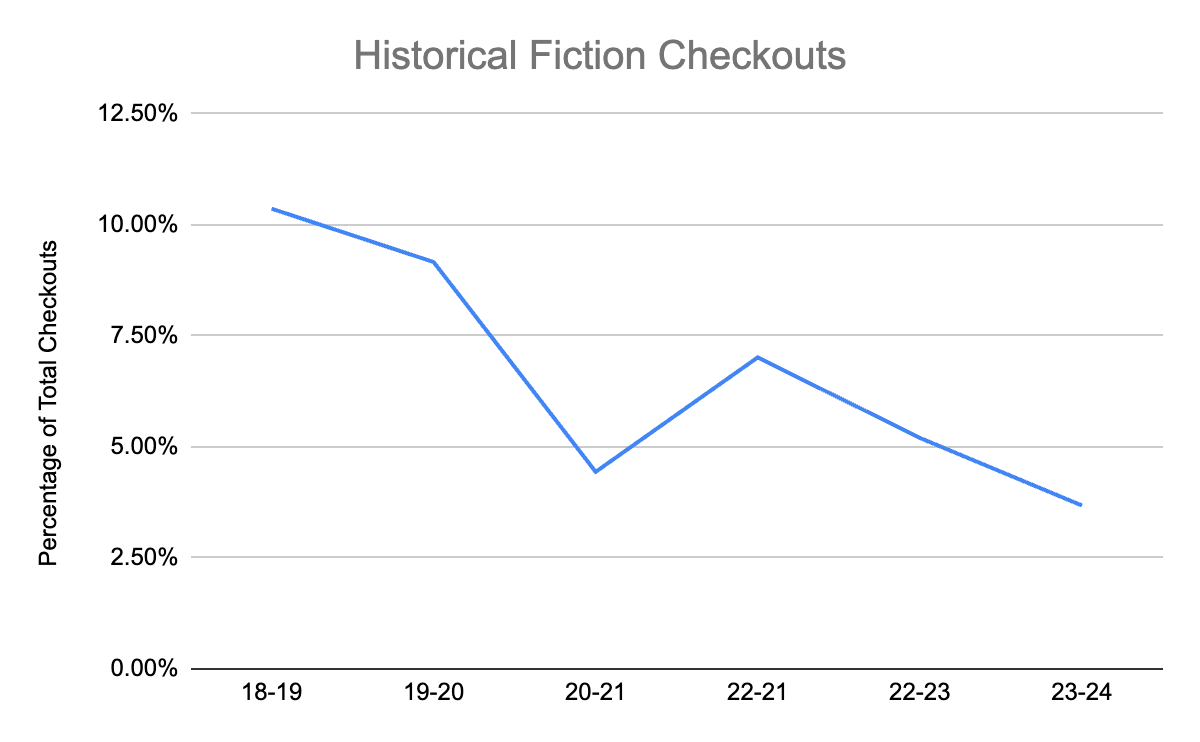
The chart above displays historical fiction checkouts as a percentage of total checkouts. On the surface, there is a clear decline in interest in historical fiction titles.
But it’s not that simple.
To talk about why, we need to dig into the Destiny OPAC. For those who don’t work in libraries, OPAC stands for Online Public Access Catalog. Think of it as the library software and search engine. When you go to a library or open your library’s app on your phone, you search the public-facing side of the OPAC for books and other materials. Librarians use the “back end” of the OPAC to circulate materials, manage patrons, and maintain the collection. There are hundreds of OPAC vendors, many of which specialize in school libraries. For school librarians who don’t use Destiny, I’m very interested to know how the conundrums I’m about to discuss present themselves in your OPAC and your practice.
The first reason my reports aren’t so simple is that Destiny’s collection statistics report does not account for deleted or weeded copies. This is problematic because I’m not getting a full picture of what students have been reading over time. Librarians regularly weed their collections for copies in poor condition or titles that are not circulating. (A common saying in library circles is that the most expensive book on the shelf is one that’s not being checked out.) Additionally, some librarians delete lost copies from the catalog after they’ve been replaced, but there’s no easy way to tell if this is happening unless it’s standard practice across the district. This presents a Catch-22 for Destiny users. If the librarian is doing their job by weeding the collection on a regular basis, it will be harder for them to evaluate student reading interests over time and incorporate that data into collection development decisions.
The second issue that muddies collection statistics reporting lies at the intersection of a genrefied collection, Destiny classification options, and inconsistency between librarians.
I inherited a genrefied fiction collection. Each genre is shelved in a unique area of the library and identified by a unique color. The librarian who genrefied the fiction collection long ago used Destiny’s sublocation field to help students identify where books are shelved. The sublocation field appears on both the “back end” and public-facing side of the OPAC. Think of it like a map key telling people where to go.
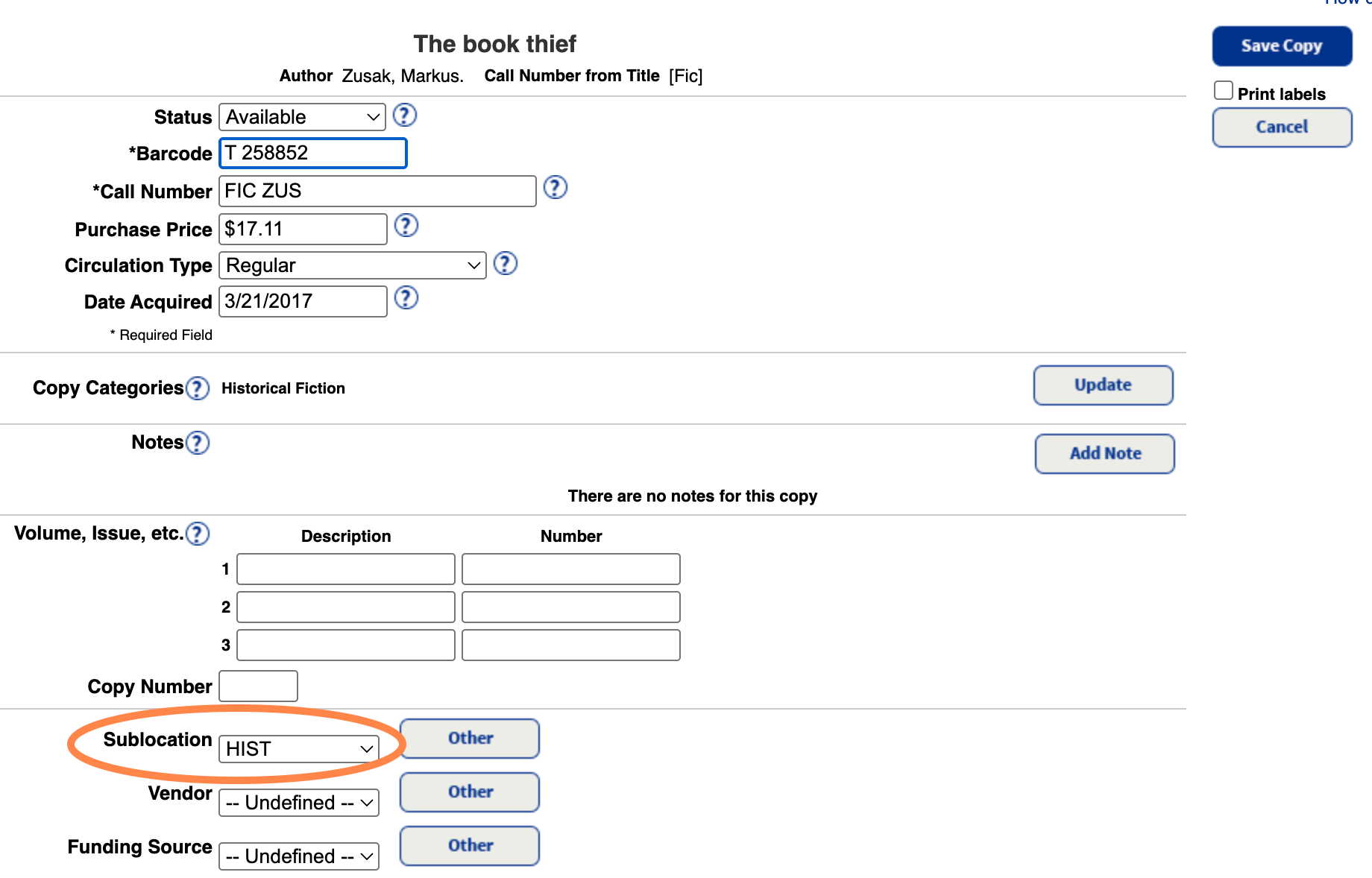
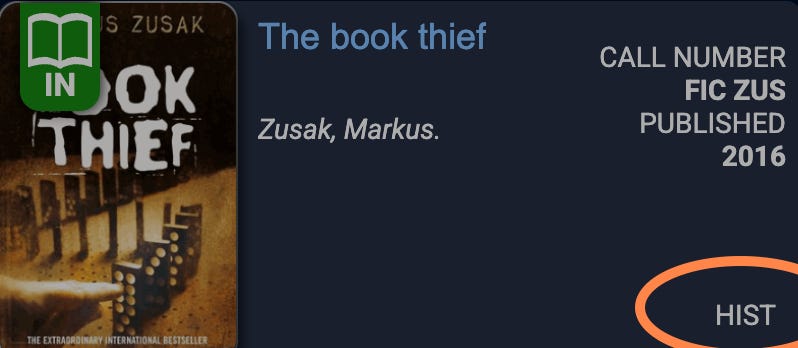
In addition to helping students and staff locate books in the collection, the sublocation field can be used as a filter for *some* of Destiny’s reports. When filtering by sublocation is not an option, librarians can use another field called “copy category.”
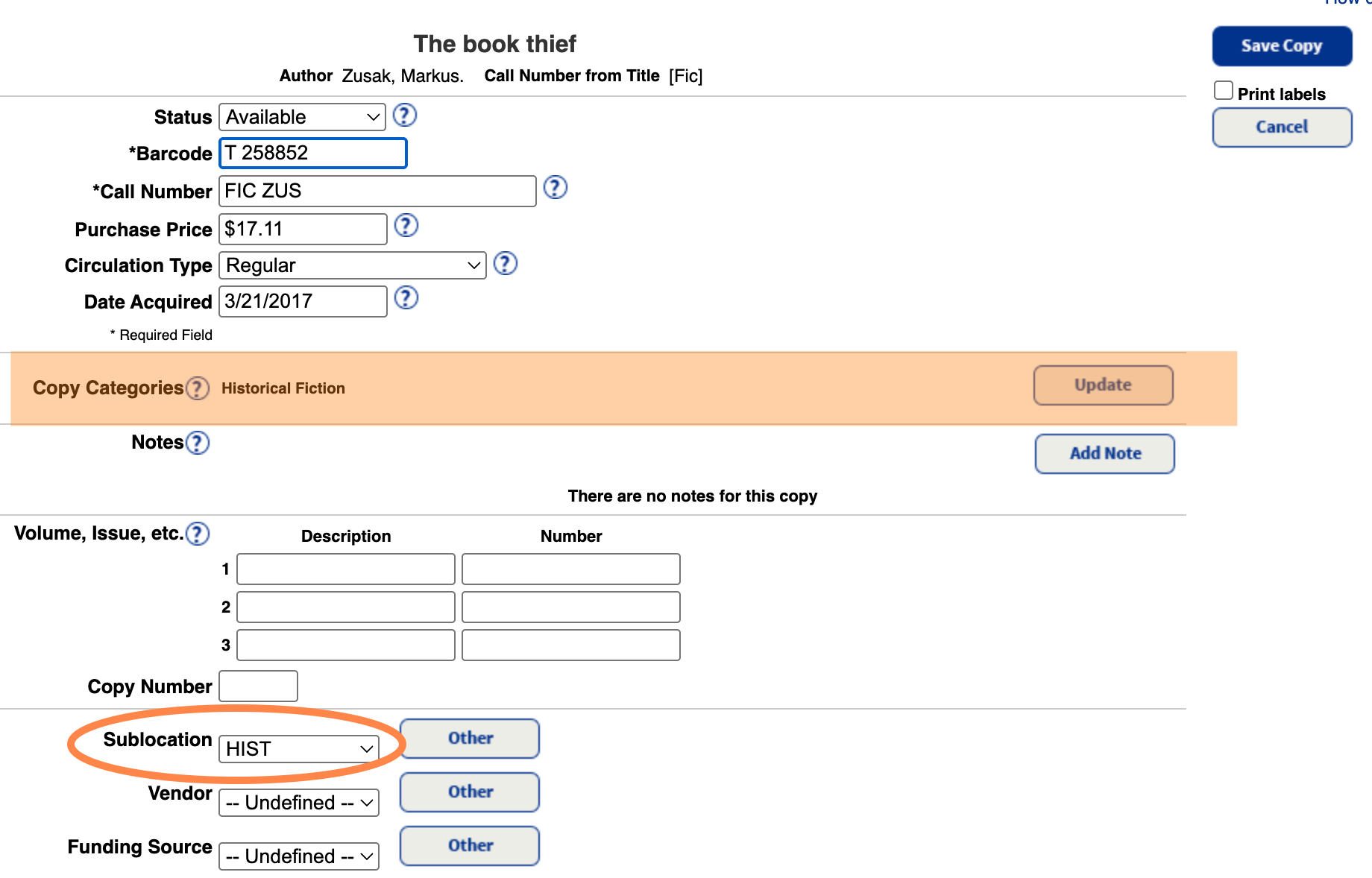
Copy category serves a similar function as sublocation when it comes to genrefying the collection and filtering reports, except the copy category field does not show up in the OPAC for patrons. As long as all records contain matching sublocation and copy category fields, reports will paint a consistent, accurate picture of the collection.
But then there’s user variation.
When my predecessor trained me on Destiny, we spent a lot of time on record creation. After importing a vendor’s MARC records for new items (which included the item sublocation) she updated the copy category field (heretofore blank) to match the sublocation. I’ve continued this practice. However, the librarian before my predecessor was not consistent about this. She was also the one who genrefied the fiction collection. When genrefying the collection and adding new records, she either matched the copy category to the sublocation, left the copy category blank, or selected multiple copy categories for one item if the work spanned genres.
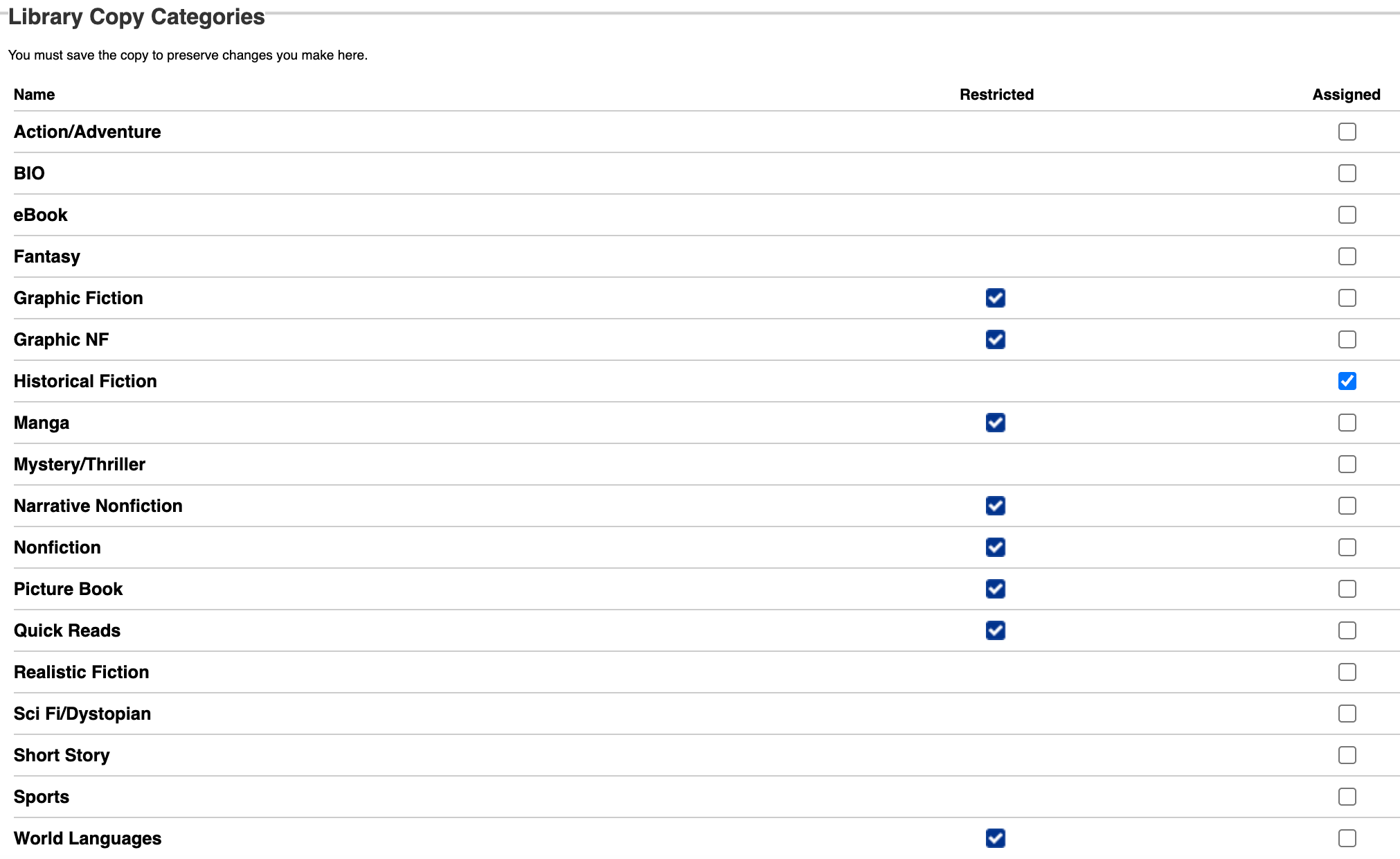
There’s nothing inherently wrong with assigning multiple copy categories to one record IF the practice is communicated to incoming librarians. My predecessor received little documentation from the previous librarian, and even though she did her best to fix records once she discovered the discrepancy in approaches, I’m still finding records with no or multiple entries in the copy category field. Now, is this the end of the world in the grand scheme of school librarianship? Heck no. But if I want to analyze and develop my collection to best serve the needs of my students, the catalog needs to be consistent.
Thankfully, Destiny offers batch and global update features to add copy categories based on sublocation and vice versa. This is useful for updating records with a blank copy category field and matching copy category to sublocation. I’ve yet to discover a way to identify all records with multiple copy categories, so if you know how to do this in Destiny, please share!
Returning to historical fiction, without the circulation statistics from deleted copies, I’ll never know the actual stats for historical fiction checkouts over time. Who knows? Maybe Destiny will read my cry into the void and change their reports feature. But even though I don’t have the numbers, I do have anecdotal evidence to suggest that most of my students aren’t going to pick up historical fiction any time soon. Stay tuned for next week’s post: Does historical fiction need a rebrand?